
How to Connect Group Leads with Flowii
Connecting your FLOWii CRM account to GroupLeads allows you to automatically sync Facebook Group member data, email addresses, and answers to membership questions directly into your FLOWii Partners database.
Follow the step-by-step guide below to retrieve your FLOWii API Key and connect your account using the CRM tab in the GroupLeads Chrome Extension.
Prerequisites
- An active FLOWii account.
- GroupLeads Chrome Extension installed and connected to a Google Sheet.
- Facebook Group membership questions configured, including at least one requesting an email address.
Step 1: Get Your API Key from FLOWii
- Log in to your FLOWii Dashboard.
- On the home page menu, click Company.
- Under the Company section, click Basic Data.
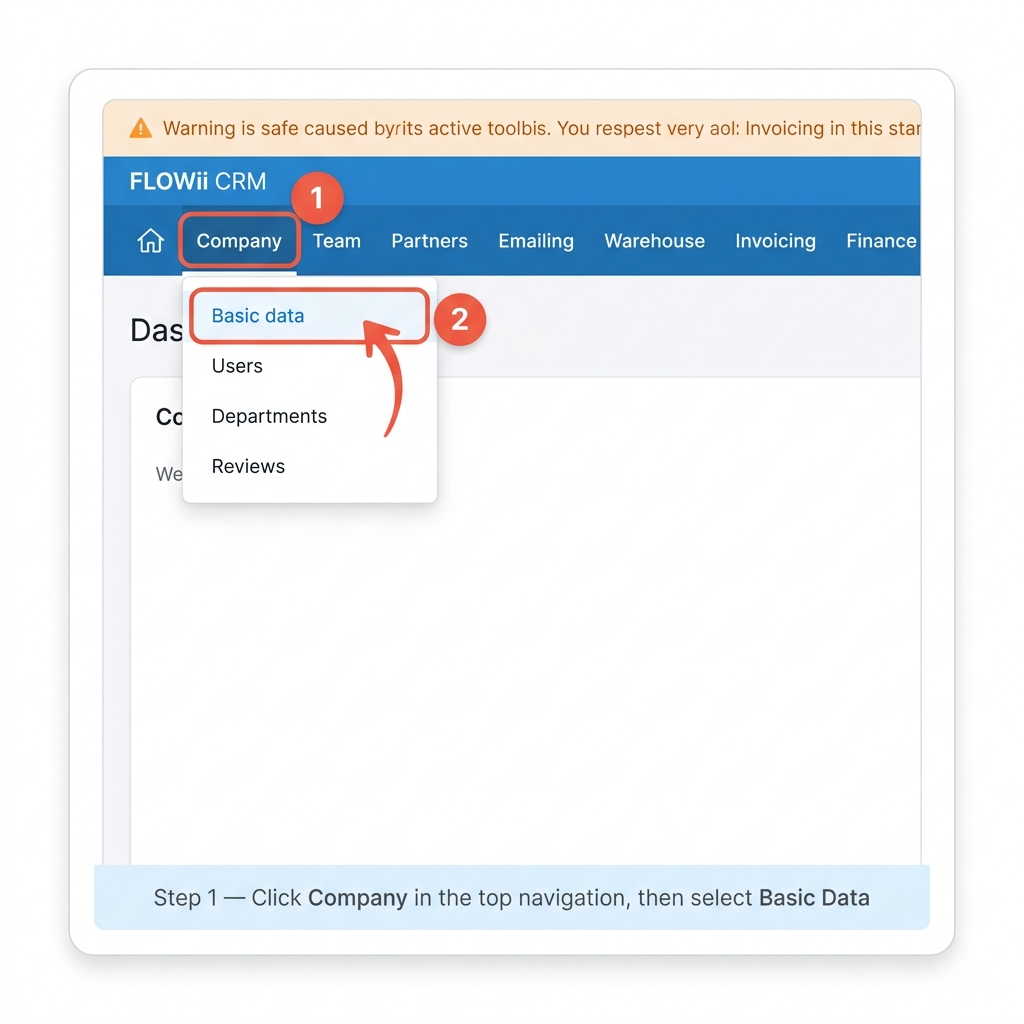
- Open the Extensions menu tab.
- Locate your unique API Key and copy it to your clipboard (or paste it into a temporary text file).

Step 2: Open GroupLeads and Access the CRM Tab
Now switch to your browser extension to complete the connection:
- Open Google Chrome and launch the GroupLeads Chrome Extension.
- Click the gear / settings icon (⚙) next to your Facebook Group name.
- Click the CRM tab in the top navigation bar (located between Setup and Auto Responder).
- Toggle ON the Enable CRM switch to activate CRM integration and automation.

- Under CRM Integration, select FLOWii from the dropdown list.
- Toggle ON Send Questions/Answers to FLOWii (if you want member Q&A responses saved).
- Enter your saved credentials into the respective input fields:
- Email *: Enter your FLOWii login email address.
- API Key *: Paste the API Key copied in Step 1.
- Password *: Enter your FLOWii account login password.
- Tag Name: Enter the tag you want applied to new contacts in FLOWii (e.g.,
facebook-group-members).
- Click Verify & Update (or Update) to validate your credentials and save the connection. Once saved, a green Connected badge will appear.

✅ You're all set! Your FLOWii account is now fully connected to GroupLeads. Every approved Facebook Group member will automatically be added as a contact partner in FLOWii, tagged, and organized in your CRM.