
How to Approve Facebook Group Members and Automate Lead Capture
Approve new member requests in your Facebook group while automatically logging member data into Google Sheets, syncing contacts with your CRM, and sending welcome messages. Perform manual approvals individually, selectively, or in bulk directly from your group member requests page.
Prerequisites
- An active GroupLeads extension installation with an active license.
- Facebook Group Admin or Moderator permissions for the target group.
- A connected Google Sheet or CRM integration configured under the Setup and CRM tabs in the GroupLeads sidebar extension.
- (Optional) Welcome messaging configured in the sidebar extension under Auto Responder > Welcome Messaging with Enable Welcome Messaging toggled on.
Step 1: Open Your Facebook Group Member Requests
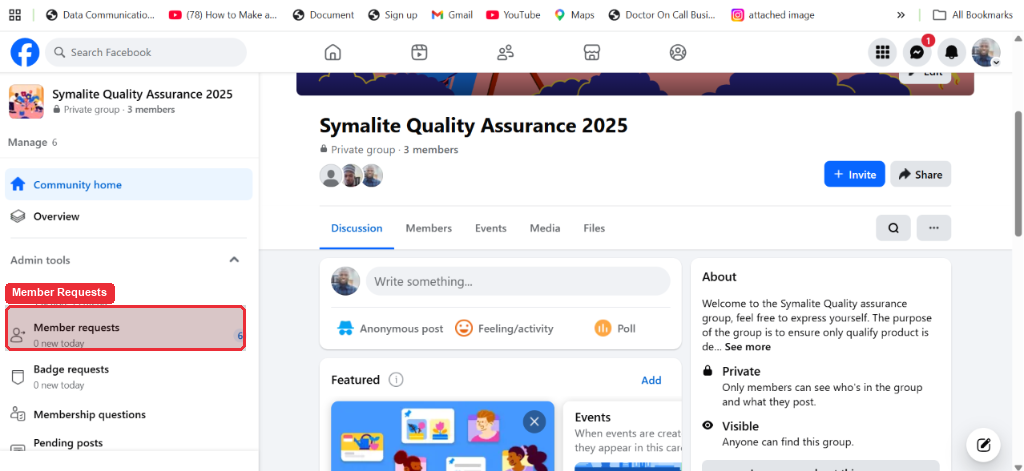
Navigate to your Facebook group page. Click Member requests in the left menu sidebar under Admin tools to view all pending membership applications.
Step 2: Verify GroupLeads Extension Setup
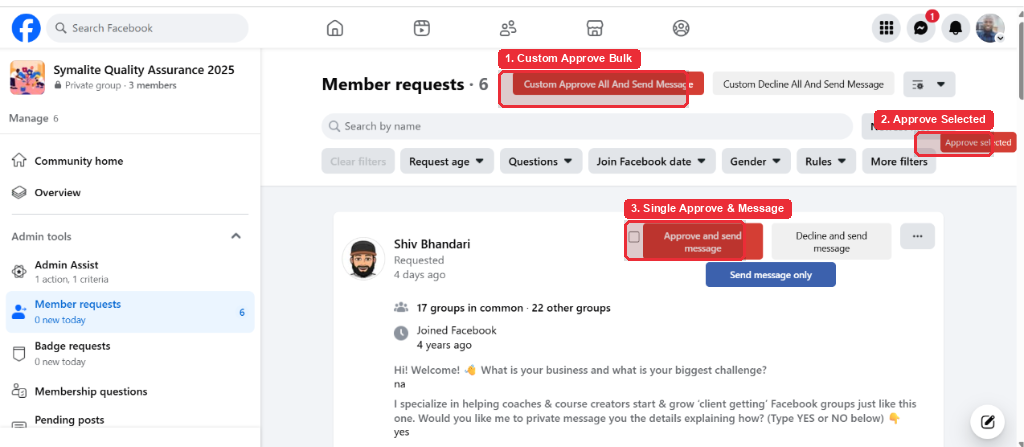
Open the GroupLeads extension to verify your group connects active status. When GroupLeads is active on the page, standard Facebook approval buttons display in red with enhanced automation features.
Note: If the approval buttons appear in standard Facebook styling, open the GroupLeads sidebar extension from your Chrome side panel to confirm your license activation.
Step 3: Select Your Approval Method
Choose one of three manual approval methods on the Member requests page based on your workflow:
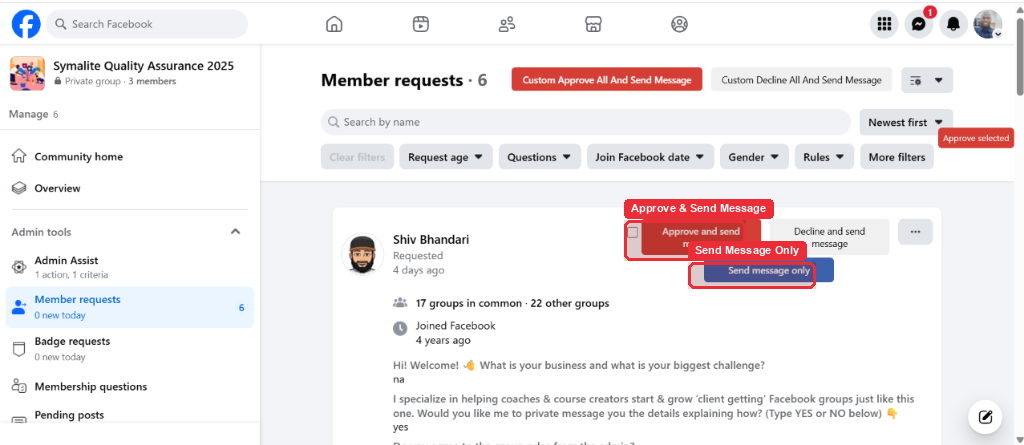
- Single Approval: Click Approve & Send Message next to an individual member request.
- Selective Approval: Select the checkbox beside each contact you want to approve, then click Approve Selected at the top of the list.
- Bulk Custom Approval: Click Custom Approve First X to approve the exact number of applicants specified in your extension settings.
Tip: You can adjust your custom approval quantity at any time inside the GroupLeads sidebar extension settings.
Step 4: Confirm Automated Data Collection and Engagement
Observe the automated background processing performed by GroupLeads immediately after approving members. The extension writes member answers to your Google Sheet, creates contact records in your CRM, and dispatches custom welcome messages via facebook.com/messages .
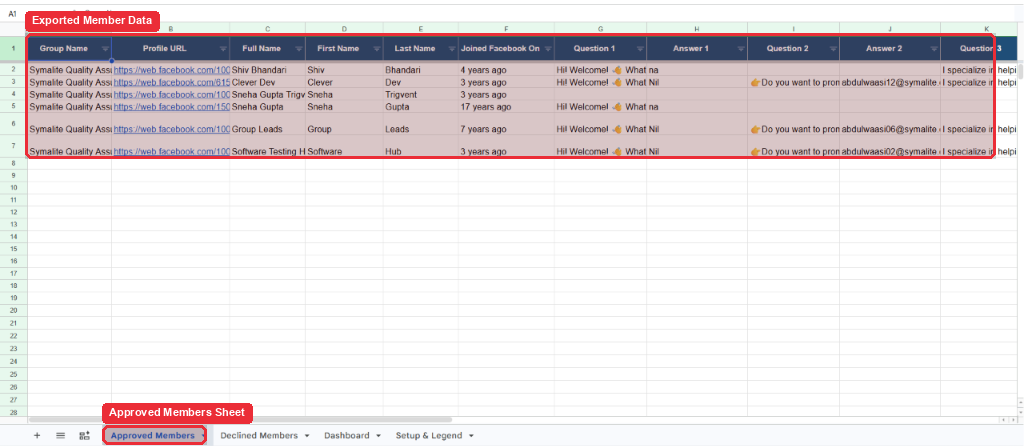
✅ You're all set — your new Facebook group members are approved, and their data is automatically captured in your Google Sheet and CRM.